

The connector targets Strapi 5 (string
documentIds and the ?status=published write flag).
Strapi 4 uses numeric ids and a publishedAt field instead, and is not supported.Before you start
- An Administrator account on your Strapi admin panel (you need the Content-Type Builder and API token settings).
- The instance must be reachable from the public internet.
Step 1 — Create the collection
Skip this if you already have a blog collection — the field mapping in Step 4 adapts to any schema. In the Strapi admin, open Content-Type Builder → Create new collection type. Name it so its plural API id isss-blogs (display name Ss Blog), keep Draft & Publish on, and add:
Save, and let Strapi restart.
Step 2 — Create an API token
- Open Settings → API Tokens and click Create new API Token.
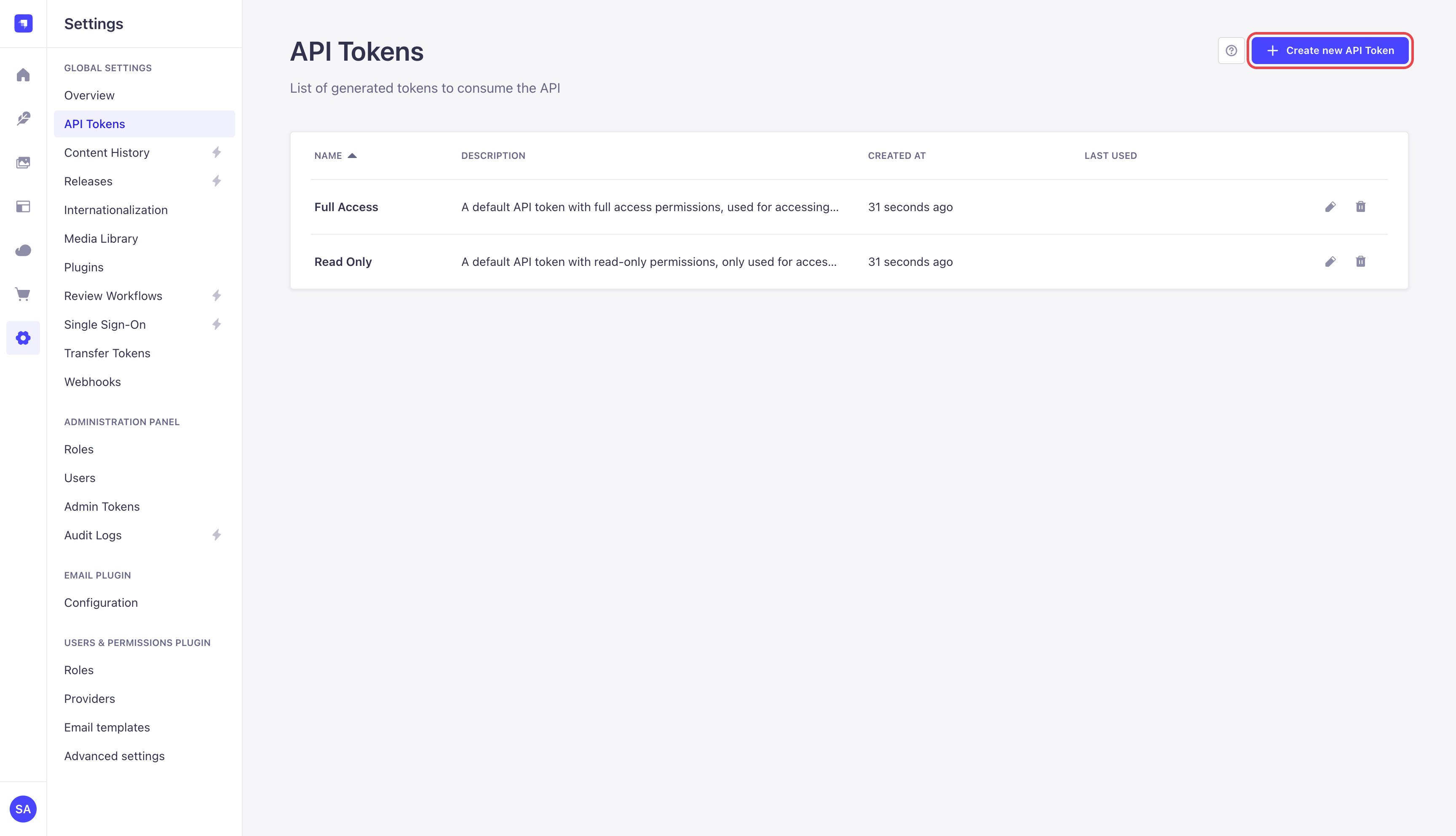
Settings → API Tokens → Create new API Token
- Name it SEOsorted, set Token duration to Unlimited and Token type to Custom.
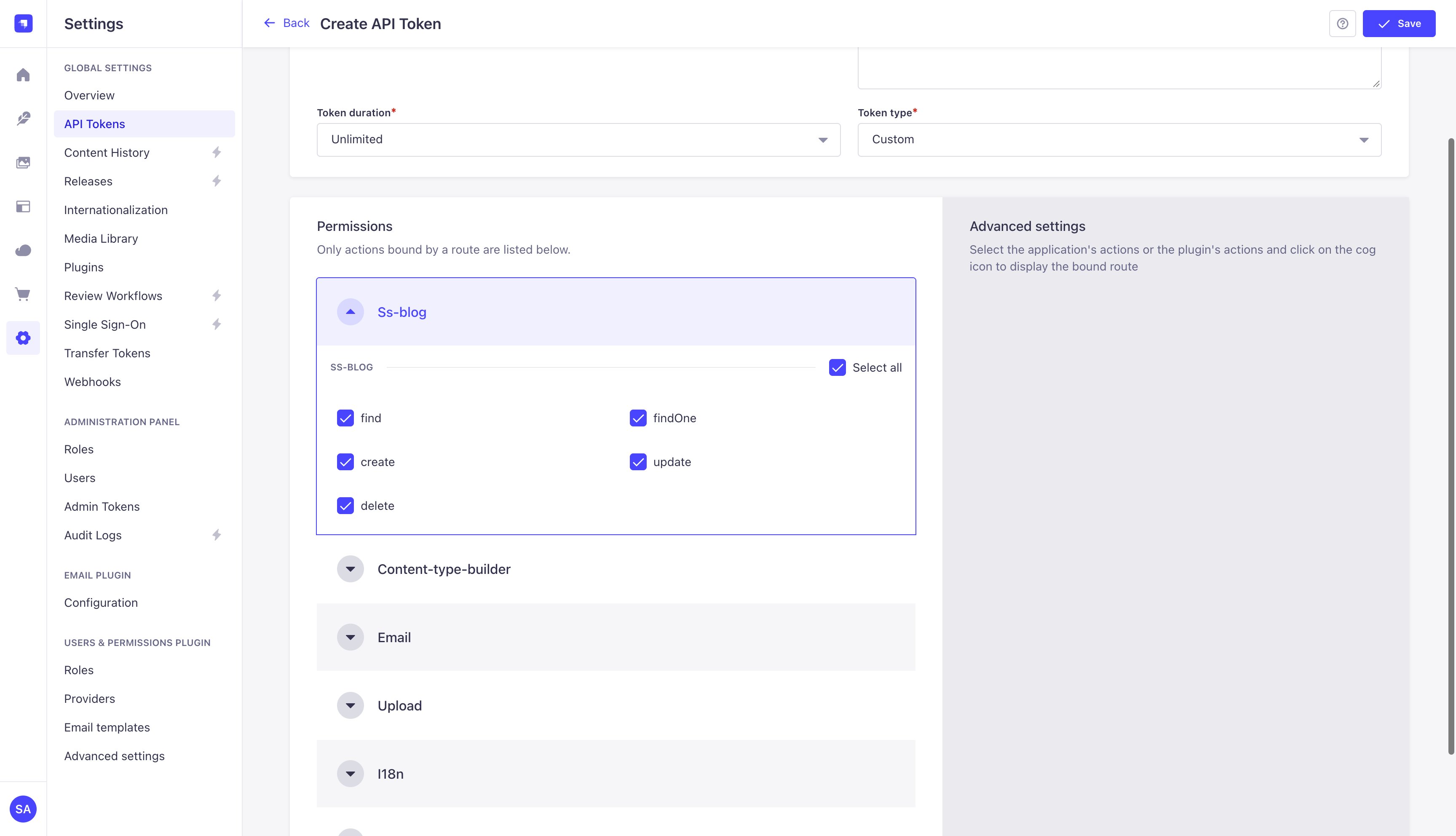
Unlimited duration, Custom type
- Under Permissions, tick:
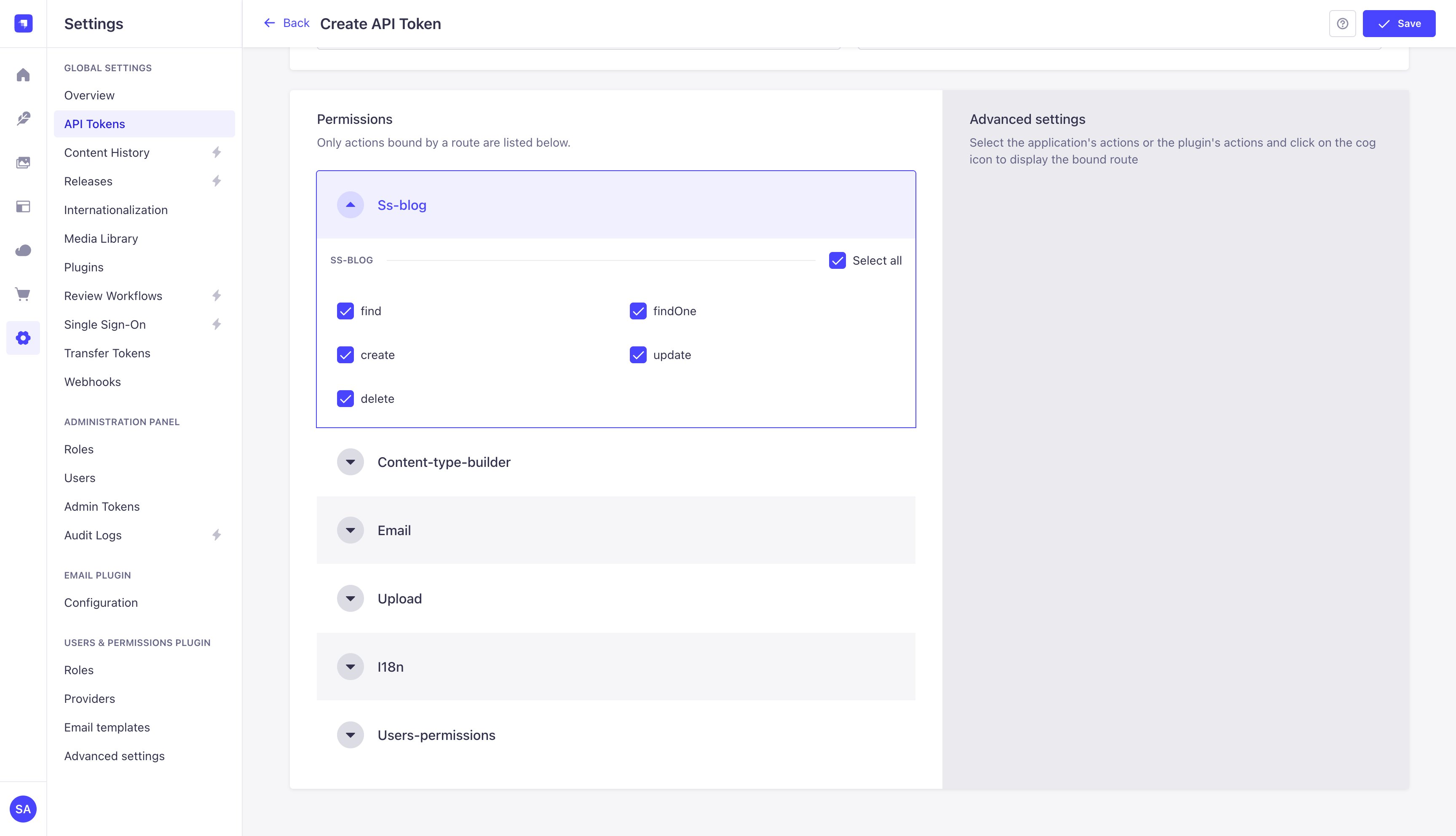
Collection permissions for the token
- Click Save, then Copy. Strapi shows the full token only once.
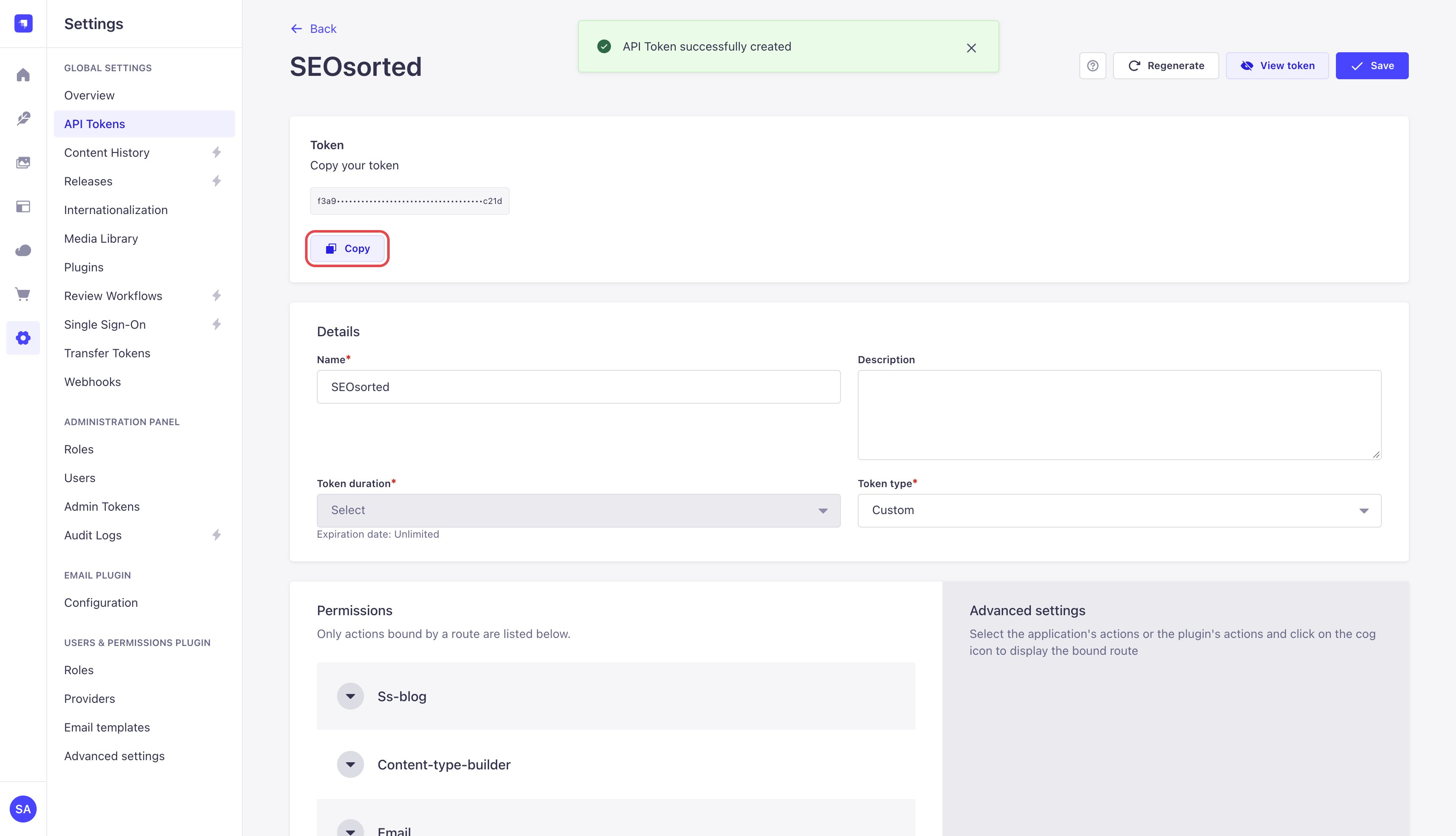
Copy the token — Strapi shows it once
Step 3 — Connect in SeoSorted
Project Settings → Integrations → Strapi → Connect.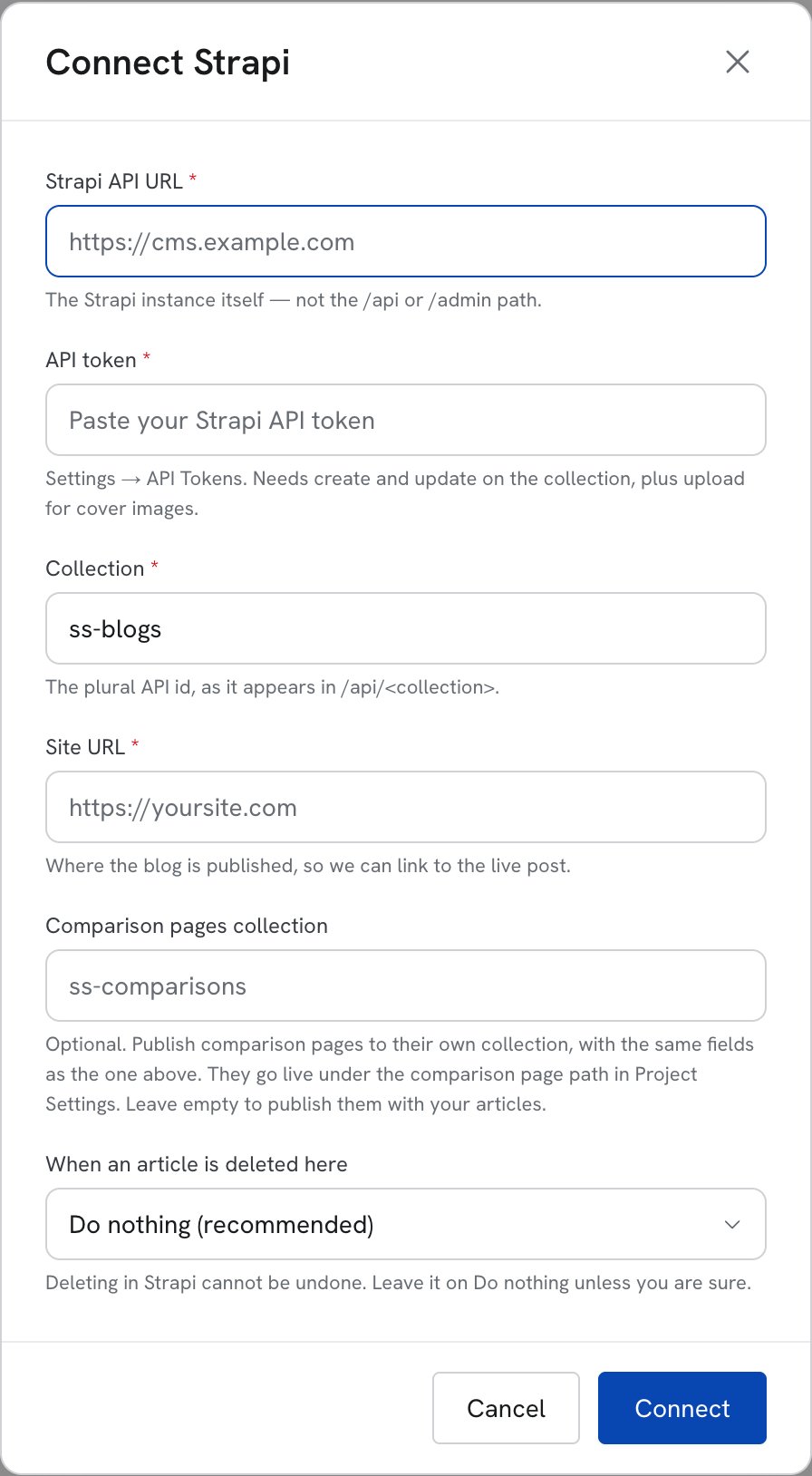
The Strapi connect form
string
required
The instance itself, without
/api or /admin — for example https://cms.example.com.string
required
The token from Step 2. Stored encrypted.
string
required
The plural API id, as it appears in the URL
/api/<collection>. Defaults to ss-blogs.string
required
Where the blog is published, for example
https://yoursite.com. The live link is
Site URL + /blog/ + the entry’s slug, and it’s returned on every publish.string
Optional. Publish comparison pages to their own collection with the same fields; they go live
under the comparison page path in Project Settings. Leave it empty to publish them into the
collection above.
string
What happens in Strapi when you delete the article in SeoSorted. Defaults to Do nothing
(recommended) — see Deleting.
Step 4 — Map Strapi fields
Right after connecting, the Map Strapi fields dialog opens. It reads your collection’s schema and lists every field, with the ones your collection requires at the top. Each field can take an article value or a fixed value that applies to every post (a relation such as an author takes the entry you pick). We pre-fill our best guess from the field names and types; check it and save. Publishing is blocked until a field is chosen for the article body. Reopen it any time from the Strapi card’s ⋮ menu → Configure.What gets published
Entries are created published. With the collection from Step 1, the mapping fills:
Fields you haven’t mapped are left untouched, so anything you set in Strapi survives a
re-publish. A re-publish also leaves
publishDate and coverImage alone: the original publish
date stays the original, and a cover image you swapped inside Strapi isn’t undone.
Fallback without schema access. If the token can’t read the Content-type-builder, we can’t map
fields and fall back to the fixed names in the table above. In that mode
readTime is sent as
text ("6 min read"), which a Number field rejects — grant the Content-type-builder permissions
from Step 2 to avoid it.Re-publishing and unpublishing
The first publish creates the entry and stores itsdocumentId. Every re-publish sends a PUT
to that same document, so the post is updated in place — never a second copy.
When unpublish does succeed, SeoSorted forgets the entry, so publishing the article again creates
a new entry.
If you delete the entry inside Strapi, a re-publish from SeoSorted fails — the document is gone.
Click Unpublish on the article (it succeeds, because the entry is no longer published), then
Publish to create a fresh entry.
Deleting
By default, deleting an article in SeoSorted leaves the Strapi entry alone. That is deliberate: clearing out drafts should not take a ranking post off your site. The two other modes are opt-in per connection, in When an article is deleted here:- Unpublish it in Strapi — moves the entry back to draft. Needs the custom unpublish route described above.
- Delete it in Strapi — the document is removed. Not reversible, and Strapi removes every locale of that document.
Common problems
“Strapi rejected that API token. It needs read and write access to the collection.”
“Strapi rejected that API token. It needs read and write access to the collection.”
The token is wrong, expired, or lacks
find on the collection. Check the token’s
permissions in Settings → API Tokens, or create a new one.“Strapi has no collection at /api/… Check the plural API id.”
“Strapi has no collection at /api/… Check the plural API id.”
Use the plural API id (
ss-blogs, not ss-blog). It’s shown in the Content-Type Builder
under the collection’s API ID (plural).“That is the Strapi admin dashboard. Use the instance URL, without /admin.”
“That is the Strapi admin dashboard. Use the instance URL, without /admin.”
Remove
/admin from the Strapi API URL.“… did not answer with the Strapi API…”
“… did not answer with the Strapi API…”
The URL points at something other than Strapi — often your public website. Use the URL of the
Strapi instance itself, without
/api or /admin.“Could not reach Strapi at …”
“Could not reach Strapi at …”
The instance isn’t reachable from the internet. A
localhost or private-network Strapi won’t
work against the hosted app.“No field on … is set to hold the article body…”
“No field on … is set to hold the article body…”
Open the Strapi card’s ⋮ menu → Configure and choose the field that receives the
article body.
“Strapi requires … on …. Open Integrations → Strapi → Configure…”
“Strapi requires … on …. Open Integrations → Strapi → Configure…”
Your collection has required fields nothing fills. Map each one to an article value or a
fixed value in Map Strapi fields.
“Strapi did not unpublish this entry (405)…”
“Strapi did not unpublish this entry (405)…”
Your instance has no unpublish route. See Re-publishing and
unpublishing.
The entry lands without its cover or body images
The entry lands without its cover or body images
The token is missing Upload → upload. Add it and re-publish; note the cover image is only
set on the first publish, so add it in Strapi for entries that already exist.